

Billing And Integrations
Billing and integrations govern plan status, storage, and operational limits. Check them before uploading large jobs, enabling public workflows, or handing work to external teams.
Useful pages
Section titled “Useful pages”- Public pricing: compare plans before login.
- Billing: plan, usage, and checkout.
- Integrations: API keys and external connections.
- Polar webhook: billing synchronization.
Pricing page
Section titled “Pricing page”The public pricing page helps people understand plan differences before login.
It shows:
- available plans;
- monthly and annual billing toggle;
- included limits;
- feature-by-plan comparison;
- FAQ;
- conversion CTA.
Use it when you need to explain to an owner why a feature is blocked or requires an upgrade.
What the pricing page answers
Section titled “What the pricing page answers”- Which plans exist.
- What changes between monthly and annual billing.
- Which features are included or blocked by plan.
- Where to start the free trial or create an account.
Billing admin
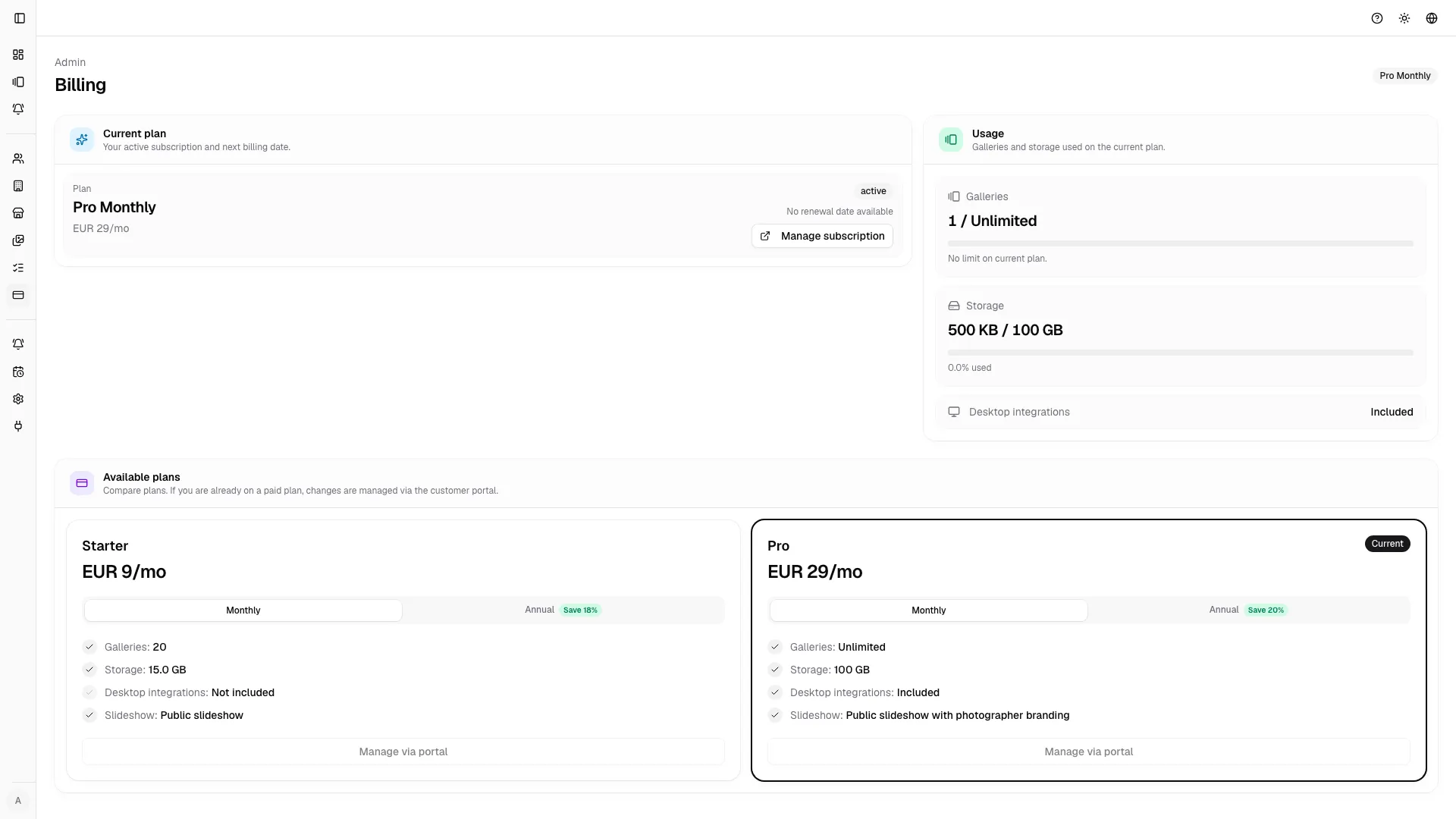
Section titled “Billing admin”The billing page shows the real situation for the studio.
Check:
- current plan;
- subscription status;
- monthly or annual interval;
- renewal date;
- gallery usage;
- storage usage;
- plan limits;
- checkout or portal returns;
- checkout or billing portal actions.
Usage rings
Section titled “Usage rings”Usage rings help avoid blocks during uploads or gallery creation. If storage or gallery count is close to the limit, act before starting a large job.
Checkout and portal
Section titled “Checkout and portal”Checkout opens the payment flow. The billing portal is used to manage the subscription, payment method, and administrative details when available.
If you return from checkout with a success or return state, the page shows the context so you can tell whether the operation completed or was interrupted.
Operational limits
Section titled “Operational limits”Limits can affect:
- active galleries;
- storage;
- advanced review;
- slideshow features;
- vendor sharing;
- automations;
- integrations.
When a feature does not appear, check the role first and then the plan.
Integrations
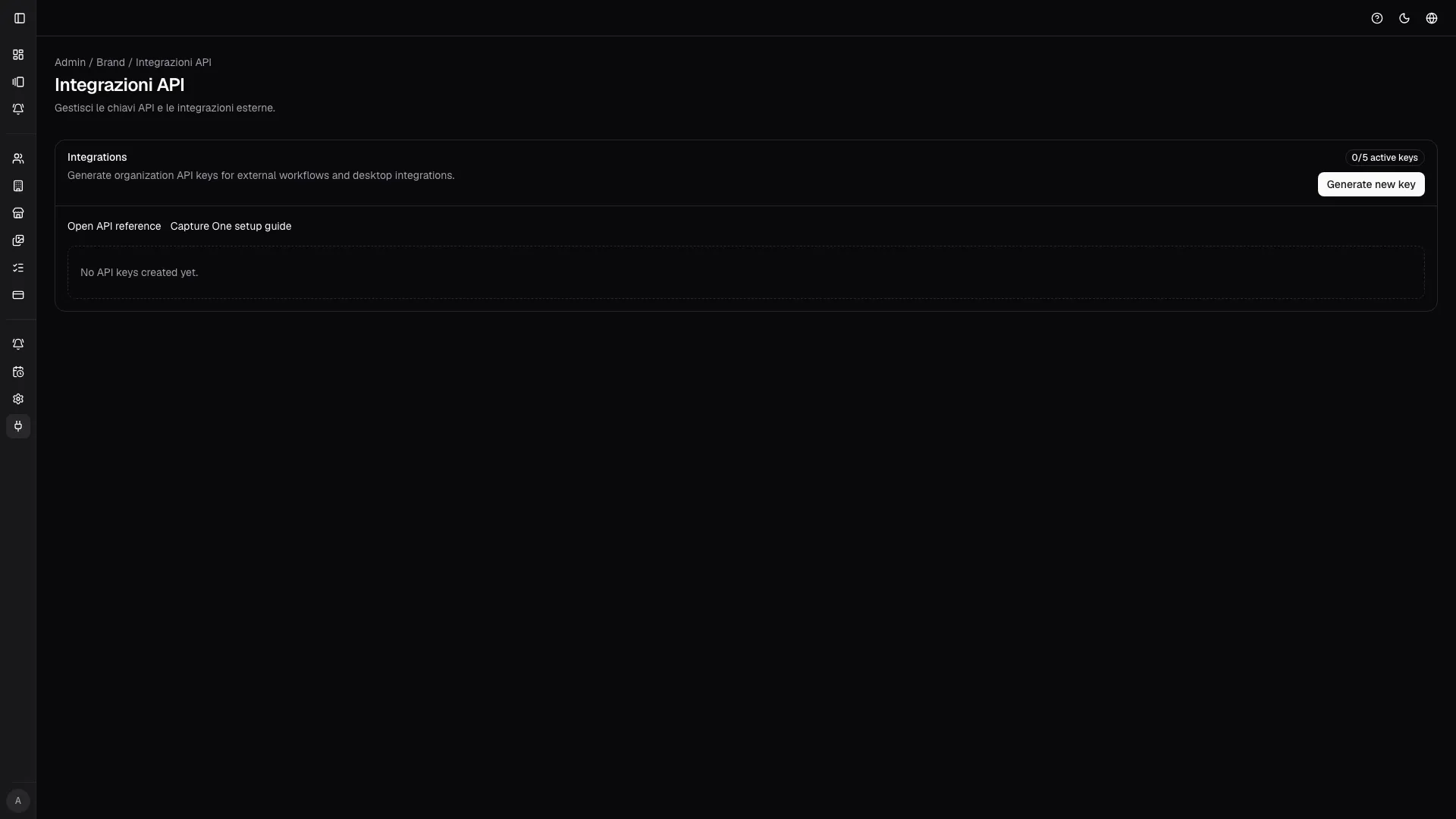
Section titled “Integrations”The integrations page contains credentials and keys used by external systems or automation.
Use them carefully:
- create keys only when needed;
- give them recognizable names;
- revoke keys that are no longer used;
- do not share keys in chat or email;
- rotate credentials if you suspect exposure;
- keep separate keys for separate environments.
The integrations page currently manages organization API keys. The app and plan configuration remain the source of truth for which API capabilities are enabled for an organization.
Polar webhook
Section titled “Polar webhook”The Polar endpoint syncs subscription and checkout events. It is not a user page, but it is critical for keeping plan and limits in sync.
If billing looks inconsistent after a payment, check:
- checkout status;
- Polar event delivery;
- subscription state in the portal;
- page cache or refresh;
- any webhook errors.
Checklist before a large job
Section titled “Checklist before a large job”- Active plan.
- Enough storage.
- Gallery limit available.
- Required features included in the plan.
- Necessary API keys created.
- Billing portal accessible for updates.